


Key Takeaways
- HTML templates load faster, cost less to host, and carry zero plugin-vulnerability surface area, critical advantages for performance-sensitive or security-conscious projects.
- WordPress themes win when non-technical clients need to publish content regularly without developer involvement.
- A static HTML front-end can still consume dynamic data via the WordPress REST API, blurring the hard line between the two approaches.
- Total cost of ownership heavily favours HTML templates for sites that change infrequently; WordPress becomes cost-competitive only when content velocity is high.
- Deployment of a Bootstrap 5 HTML template can be done in minutes on platforms like Netlify, versus hours of WordPress configuration for a comparable setup.
What Each Option Actually Is
An HTML template is a pre-built collection of HTML, CSS, and JavaScript files you own outright. You download a ZIP, edit the files in your editor of choice, and push them to any host, a CDN, an object-storage bucket, or a platform like Netlify. There is no database, no server-side runtime, and no admin dashboard. The Canvas HTML Template is a prime example: a Bootstrap 5 framework with 50+ live demos, CSS custom properties (including --cnvs-themecolor for instant brand theming), and bundled JavaScript via plugins.min.js and functions.bundle.js.
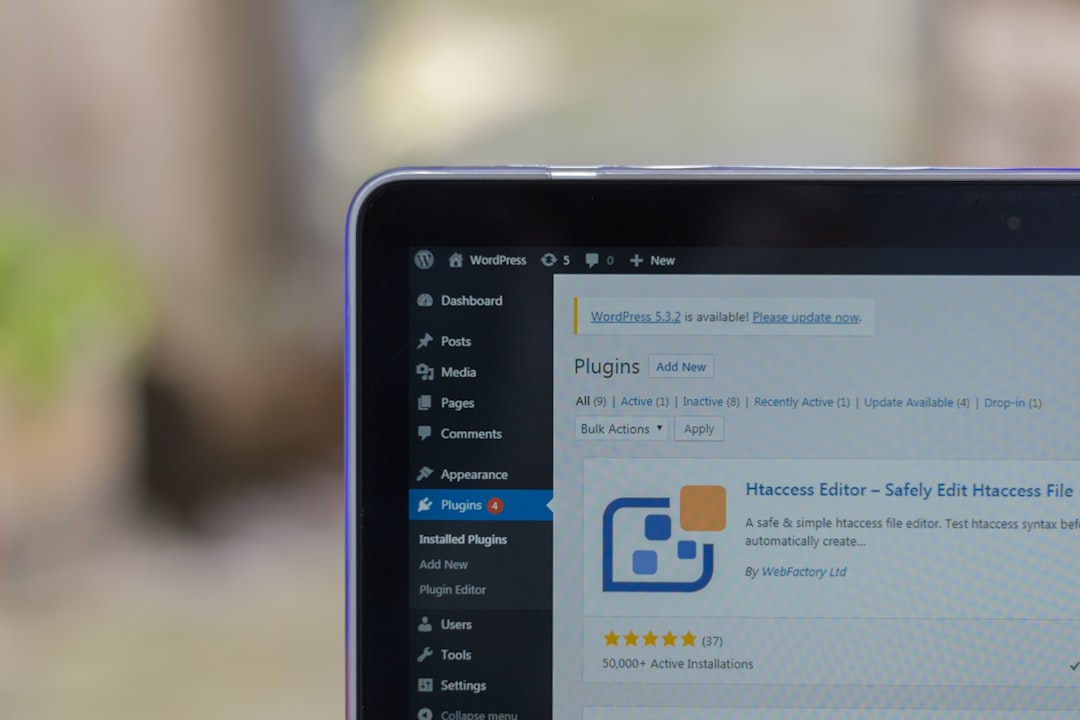
A WordPress theme is a presentation layer on top of the WordPress CMS, a PHP-driven application that requires a MySQL database, a PHP-capable web server (Apache or Nginx), and ongoing maintenance of core, themes, and plugins. The theme controls appearance; WordPress controls content storage, user roles, and the admin interface clients use daily.
These are not just two visual styles for the same thing. They represent fundamentally different architectures with different maintenance burdens, hosting requirements, and editorial workflows.
Performance and Security
Static HTML files served from a CDN are, by definition, as fast as web delivery gets. There is no PHP execution time, no database query, no plugin stack to traverse. A well-built Bootstrap 5 HTML template can achieve a Lighthouse performance score above 95 out of the box before any additional optimisation.
WordPress performance depends entirely on the quality of the theme, the number of active plugins, and the hosting tier. A default WordPress install with a popular page-builder theme and a handful of plugins routinely produces Time to First Byte (TTFB) figures five to ten times higher than a comparable static page. Caching plugins (WP Rocket, W3 Total Cache) close the gap but add another maintenance dependency.
The security picture is equally stark. WordPress powers approximately 43% of the web, which makes it the highest-value target for automated exploit scanners. Outdated plugins are the leading attack vector. A static HTML site has no login page, no database connection string, and no plugin registry, its attack surface is essentially zero. For fintech landing pages, healthcare microsites, or any project handling sensitive brand reputation, this matters enormously.
Content Management and Editorial Workflow
This is where WordPress earns its market share. If your client is a marketing team that publishes three blog posts a week, runs seasonal promotions, and needs to update staff directories without filing a support ticket, WordPress is the right tool. The Gutenberg editor is mature, the user documentation is extensive, and the ecosystem of form plugins, e-commerce extensions, and SEO tools (Yoast, Rank Math) is unmatched.
An HTML template is a poor fit for that scenario unless you introduce a headless CMS (Contentful, Sanity, Storyblok) in front of it, which adds architectural complexity that may exceed the cost of simply choosing WordPress in the first place. However, if content changes are infrequent, a law firm’s service pages, a SaaS product landing page, a conference microsite, a static HTML template is dramatically simpler to maintain. Notably, a static front-end can still pull dynamic WordPress content via the WordPress REST API, giving you the best of both worlds for hybrid use cases.
Cost of Ownership Over Time
The purchase price of either option is almost irrelevant compared to what you pay over 24 months. Consider the following breakdown:
- HTML template hosting: Netlify’s free tier or an S3 bucket costs effectively nothing for low-to-medium traffic. As shown in our guide on deploying a Bootstrap 5 HTML template to Netlify in 5 minutes, a production deployment requires no server configuration.
- WordPress hosting: Managed WordPress hosting (Kinsta, WP Engine, Cloudways) that actually delivers reliable performance starts at $30,$50 per month. Shared hosting is cheaper but introduces performance and security trade-offs.
- Maintenance overhead: WordPress core releases minor updates roughly monthly and major releases twice yearly. Each plugin update carries regression risk. A static HTML site requires zero runtime maintenance once deployed.
- Developer time: Debugging a WordPress plugin conflict at $100/hour adds up. HTML template bugs are scoped to your own code.
For a site that changes fewer than once per month, the two-year total cost of ownership for an HTML template is typically 60 to 80% lower than a managed WordPress deployment.
When HTML Templates Win
Choose a Bootstrap 5 HTML template when:
- The site is a marketing or landing page with stable content, agency homepage, SaaS product page, event microsite.
- The team building it is developer-led and comfortable editing files directly.
- Performance and security are non-negotiable requirements (financial services, healthcare, high-traffic campaigns).
- You are working to a tight timeline. A template like Canvas, with pre-built demos for conferences, construction, restaurants, and fintech, lets a developer assemble a polished, multi-section site in days rather than weeks.
- The client has a developer on retainer or in-house who handles updates.
HTML templates are also the right call for projects that are later migrating away from WordPress for performance reasons. If that is your situation, our detailed guide on migrating from WordPress to a static Bootstrap 5 site walks through the full process.
When WordPress Themes Win
Choose WordPress when:
- The client must self-publish content without developer help, blogs, news sites, directories, e-commerce.
- The project requires complex user roles: contributors, editors, administrators with different permissions.
- You need mature plugin integrations: WooCommerce for e-commerce, LearnDash for LMS, or Advanced Custom Fields for structured data.
- The client’s team is already fluent in WordPress and retraining is not viable.
- You need a multilingual site with WPML or Polylang, a solved problem in WordPress, a custom build in static.
Be honest about the editorial reality. If the client says they will blog regularly but historically they update the site twice a year, a WordPress theme is overhead they will never justify. Push back and propose a static approach with a lightweight form solution like Formspree or Netlify Forms for contact submissions.
The Hybrid Approach: Static Front-End, WordPress Back-End
A growing number of projects use WordPress purely as a headless CMS, content editors get the familiar admin interface, but the front-end is a static or JavaScript-rendered site consuming data via the WordPress REST API (available since WordPress 4.7). This decoupled architecture delivers near-static performance, eliminates theme-level PHP vulnerabilities, and preserves the editorial workflow clients rely on.
The trade-off is complexity. You are now maintaining two separate systems with their own deployment pipelines. This approach is well-suited to agencies with dedicated front-end and back-end developers, but it is overkill for a solo freelancer building a 10-page site. For implementation specifics, see our guide on using the WordPress REST API with a static HTML front-end.
A simple example of fetching a WordPress post list into a static page might look like this:
<!-- Fetch latest posts from a headless WordPress instance -->
<div id="post-list"></div>

<script>
  fetch('https://your-wp-site.com/wp-json/wp/v2/posts?per_page=6')
    .then(res => res.json())
    .then(posts => {
      const list = document.getElementById('post-list');
      posts.forEach(post => {
        const item = document.createElement('div');
        item.classList.add('col-md-4', 'mb-4');
        item.innerHTML = `
          <h3>${post.title.rendered}</h3>
          <p>${post.excerpt.rendered}</p>
          <a href="${post.link}" class="btn btn-primary">Read More</a>
        `;
        list.appendChild(item);
      });
    });
</script>This pattern lets you keep a Canvas HTML Template front-end while giving editors a familiar WordPress dashboard for content entry.
Frequently Asked Questions
Yes. Static site generators like Eleventy or Hugo can compile Markdown files into HTML pages on every deployment, giving you a blog with zero database dependency. Alternatively, a headless CMS like Contentful provides a GUI for editors while your HTML template fetches content via API at build time. Both approaches suit projects where WordPress’s overhead is unjustified.
For developers, HTML templates are generally easier to update, you edit files directly with no abstraction layers between your intent and the output. For non-technical clients, WordPress themes with a page builder are easier because no code editing is required. The right answer depends entirely on who will be doing the updating.
Yes, and they often outrank WordPress sites because page speed and Core Web Vitals are direct ranking signals. A static HTML page served from a CDN typically scores significantly higher on Largest Contentful Paint (LCP) and Time to First Byte (TTFB) than a dynamically rendered WordPress page on shared hosting. SEO plugins like Yoast have no equivalent in a static build, but structured data markup and meta tags can be hand-coded or managed via a build tool.
A static HTML site has no executable server-side code, no database, and no authentication endpoint, which eliminates the three most common WordPress attack vectors: SQL injection, brute-force login attacks, and vulnerable plugin code. WordPress can be hardened significantly with two-factor authentication, a Web Application Firewall, and disciplined plugin management, but it will always carry a larger inherent attack surface than a static file.
You have two realistic options. First, convert the HTML template into a custom WordPress theme by wrapping the markup in WordPress template files (header.php, footer.php, page.php) and enqueueing the Bootstrap and Canvas assets via functions.php. This preserves the visual design while adding the CMS layer. Second, use the HTML template as a headless front-end and connect it to a WordPress back-end via the REST API, as described in the hybrid approach section above.
Looking for a production-ready Bootstrap 5 HTML template? Browse Canvas Template demos and find the perfect starting point for your next project.
If you’re building with the Canvas HTML Template and want to ship production-ready Bootstrap 5 layouts faster, try Canvas Builder free, the visual builder that exports clean Canvas-ready markup in minutes.
Skip the setup and build it free
Spin up a complete Bootstrap 5 site, blog included, with Canvas Builder. No coding, no cost.

Canvas Team
Tutorials and tips for building beautiful Bootstrap 5 websites with the Canvas HTML Template and Canvas Builder.
More from the Canvas Blog