Features Overview
Some of the Features that are gonna blow your mind off
Responsive Layout
Powerful Layout with Responsive functionality that can be adapted to any screen size. Resize browser to view.

Retina Graphics
Looks beautiful & ultra-sharp on Retina Screen Displays. Retina Icons, Fonts & all others graphics are optimized.

Powerful Performance
Canvas includes tons of optimized code that are completely customizable and deliver unmatched fast performance.

Endless Possibilities
You have complete easy control on each & every element that provides endless customization possibilities.

Light & Dark Scheme
Change your Website's Primary Scheme instantly by simply adding the dark class to the body.

Customizable Fonts
Use any Font you like from Google Web Fonts, Typekit or other Web Fonts. They will blend in perfectly.

Responsive Layout
Powerful Layout with Responsive functionality that can be adapted to any screen size. Resize browser to view.

Retina Graphics
Looks beautiful & ultra-sharp on Retina Screen Displays. Retina Icons, Fonts & all others graphics are optimized.

Powerful Performance
Canvas includes tons of optimized code that are completely customizable and deliver unmatched fast performance.
Pricing Details
Our All inclusive Pricing Plan that covers you wellHow many Themes can you Download today?
- Ultra Responsive Layouts
- Retina Ready Designs
- Advanced Admin Panel
- Tons of Customization Options
- Support for Custom Fonts
- Premium Sliders Included
- Photoshop Source Files Included
- 24x7 Priority Email Support
Testimonials
Our All inclusive Pricing Plan that covers you well
Canvas transformed our workflow instantly. The responsive layouts and pre-built sections save us hours each time.
John Doe
XYZ Inc.
Stunning out-of-the-box quality. We launched our site using Canvas in days, and client feedback has been outstanding.
Collis Ta'eed
Envato Inc.
Outstanding documentation and support. Integrating Canvas into our workflow was smooth and completely friction-free.
Mary Jane
Google Inc.
Every element is carefully polished. Canvas brings professional-grade design without advanced coding knowledge.
Steve Jobs
Apple Inc.
The layouts and interactive components made building our landing pages intuitive and remarkably fast from day one.
Jamie Morrison
Apple Inc.
Canvas holds up perfectly in real production. Well-structured, reliable, and a genuine joy to customize.
Cyan Ta'eed
TutsPlus+Product Specifications
Complete list of the Tech Specifications for your understandingUltra Responsive Template
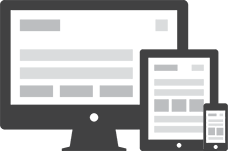 Canvas is built on a fully fluid grid system that adapts seamlessly to every screen size, from mobile handsets to large desktop monitors. Each component is designed with responsive principles baked in—layouts shift intelligently, images scale proportionally, and navigation collapses cleanly into a touch-friendly mobile menu. Resize your browser window at any point to see the responsive behavior in action across every page section of the template.
Retina Ready Display
Every graphic, icon, and UI element in Canvas has been crafted and exported at double resolution, ensuring your site looks razor-sharp on HiDPI and Retina displays. From the navigation logo to the footer illustrations, nothing appears blurry or pixelated regardless of the device pixel ratio. Icon fonts such as Bootstrap Icons and Font Awesome render crisply at every scale, while all bundled photography is sourced at high resolution to maintain visual fidelity throughout. Canvas also supports srcset attributes on key images, allowing browsers to request the most appropriate resolution automatically without any manual intervention from the developer. Premium sliders, modal windows, and lightboxes all uphold this visual quality standard, meaning the end-user experience is consistently polished on both standard and high-density displays. Navigation icons, feature illustrations, and decorative graphics each appear crisp and detailed even on the sharpest screens available today. This meticulous attention to visual quality sets Canvas apart and ensures your brand always looks professional, no matter what device a visitor uses to access your website. Teams that care about pixel-perfect presentation will immediately appreciate the care invested in every visual asset bundled with this template.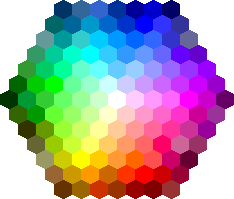
Unlimited Color Options
Canvas ships with an extensive palette of pre-defined color schemes and supports unlimited custom color combinations. Using the built-in theme color variable, you can change the primary accent color site-wide with a single CSS update—no need to hunt through dozens of files. Gradient overlays, solid fills, and transparent backgrounds are all easily toggled per section. Light and dark variants are included for every component, giving you fine-grained control over contrast and mood. Additional theme packs expand the starting palette further, while the well-documented SCSS source files let designers build entirely custom palettes from the ground up. Color-coded utility classes follow Bootstrap conventions, so applying a brand color to a button, card, or heading requires nothing more than a single class name.