


The hero section is the first thing a visitor sees, and in most cases it determines whether they stay or leave. A weak headline, a cluttered layout, or a missed visual hierarchy can cost you conversions before a single scroll. Below are twelve Bootstrap 5 hero section designs you can copy, adapt, and ship today, each with real markup you can drop straight into your project.
Key Takeaways
- Twelve distinct bootstrap hero section patterns covering SaaS, portfolio, agency, e-commerce, and nonprofit use cases.
- Every design uses standard Bootstrap 5 utility classes, no extra dependencies required.
- Code snippets are copy-paste ready and pair cleanly with the Canvas HTML Template.
- Visual hierarchy, contrast, and a single clear CTA are the three constants across every strong hero design.
- Several patterns leverage Bootstrap 5’s CSS custom properties for instant colour theming.
Why the Hero Section Is Your Highest-Stakes UI Component
Nielsen Norman Group data consistently shows users decide whether a page is worth reading within the first few seconds. The hero design carries the entire weight of that first impression. It must communicate what the product does, why it matters, and what to do next, all above the fold on every viewport. Bootstrap 5 makes this achievable without a custom CSS framework because its grid, flexbox utilities, and spacing scale give you precise layout control out of the box.
Before diving into the twelve patterns, three rules apply to all of them: one primary CTA per hero, a contrast ratio of at least 4.5:1 between text and background, and a heading font size no smaller than clamp(2rem, 5vw, 4rem) for genuine visual impact.
1 to 3: Centred-Text Heroes
1. Minimal centred headline with a single CTA. The simplest pattern. Full-viewport height, dark background, white text, one button. Nothing competes with the message.
<section class="d-flex align-items-center justify-content-center text-center bg-dark text-white vh-100 px-3">
  <div>
    <h1 class="display-3 fw-bold mb-3">Ship faster. Grow smarter.</h1>
    <p class="lead mb-4 text-white-50">The all-in-one platform for modern development teams.</p>
    <a href="#" class="btn btn-primary btn-lg">Start free trial</a>
  </div>
</section>2. Centred hero with a gradient overlay. Replace bg-dark with an inline CSS gradient to add depth. The text utilities stay identical, so the only real change is the background declaration.
<section class="d-flex align-items-center justify-content-center text-center text-white vh-100 px-3"
  style="background: linear-gradient(135deg, #0d6efd 0%, #6610f2 100%);">
  <div>
    <h1 class="display-2 fw-bolder mb-3">Design without limits.</h1>
    <p class="lead mb-4 opacity-75">Bootstrap 5 hero sections built for conversion.</p>
    <a href="#" class="btn btn-light btn-lg me-2">See demos</a>
    <a href="#" class="btn btn-outline-light btn-lg">Learn more</a>
  </div>
</section>3. Centred hero with a badge label and dual CTAs. Common in SaaS launches. A small badge above the headline signals a new product or feature, and the dual CTAs give visitors a low-commitment second option if they are not ready to sign up.
<section class="py-5 py-xl-7 text-center bg-body">
  <div class="container">
    <span class="badge text-bg-primary rounded-pill mb-3 px-3 py-2 fs-6">Now in public beta</span>
    <h1 class="display-3 fw-bold mb-3">Your analytics. Finally clear.</h1>
    <p class="lead text-muted mb-5 mx-auto" style="max-width: 600px;">
      Real-time dashboards that turn raw data into decisions.
    </p>
    <a href="#" class="btn btn-primary btn-lg me-2">Get started free</a>
    <a href="#" class="btn btn-outline-secondary btn-lg">Watch demo</a>
  </div>
</section>4 to 6: Split-Layout Heroes
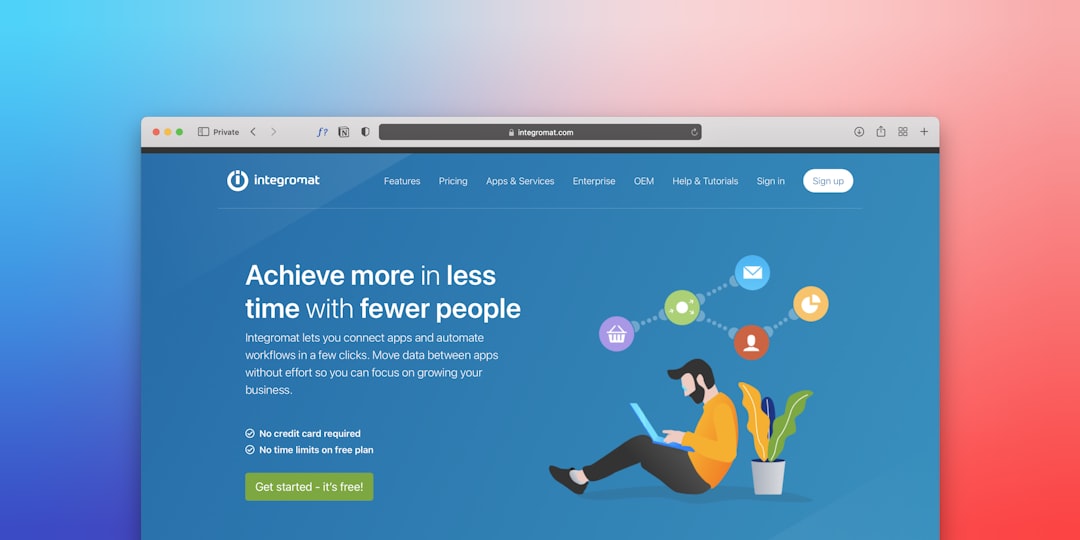
Split layouts place copy on one side and a visual on the other. They work well for product-led sites because the image or screenshot reinforces the headline without competing with it. For more component patterns like these, see our roundup of 15 free Bootstrap 5 UI patterns every developer should know.
4. Left text, right image (col-lg-6).
<section class="py-5 py-xl-7">
  <div class="container">
    <div class="row align-items-center g-5">
      <div class="col-lg-6">
        <h1 class="display-4 fw-bold">Build products users love.</h1>
        <p class="lead text-muted my-4">Collaborative design and delivery in one workspace.</p>
        <a href="#" class="btn btn-primary btn-lg">Start building</a>
      </div>
      <div class="col-lg-6">
        <img src="hero-image.webp" alt="Product screenshot" class="img-fluid rounded-4 shadow-lg">
      </div>
    </div>
  </div>
</section>5. Right text, left video loop. Swap the column order and replace the <img> with a muted autoplay <video> for a product walkthrough hero.
6. Split with a coloured panel background. Give one column a full-bleed colour by nesting the section inside a two-column grid at the .container-fluid level. This technique appears frequently in the Canvas travel and event demos.
7 to 8: Full-Bleed and Video Heroes
7. Full-bleed background image with overlay.
<section class="position-relative d-flex align-items-center text-white"
  style="min-height: 100vh; background: url('hero-bg.webp') center/cover no-repeat;">
  <div class="position-absolute top-0 start-0 w-100 h-100 bg-dark opacity-50"></div>
  <div class="container position-relative z-1">
    <div class="col-lg-7">
      <h1 class="display-3 fw-bold">Explore the world differently.</h1>
      <p class="lead my-4 opacity-75">Hand-picked journeys for curious travellers.</p>
      <a href="#" class="btn btn-light btn-lg">Discover destinations</a>
    </div>
  </div>
</section>This pattern is the backbone of the Canvas travel demo. To see it in a full site context, read how to launch a travel blog with the Canvas Travel Demo.
8. Autoplay video background. Replace the style background image with a <video> tag set to autoplay muted loop playsinline, positioned absolutely behind the overlay <div>. Keep file size under 5 MB and always provide a poster image for users who have reduced-motion preferences enabled. Skipping the poster is the most common production mistake with this pattern.
9 to 10: Utility-First and Card-Based Heroes
9. Frosted-glass card hero. A centred card with backdrop-filter: blur() sits over a gradient background. This treatment has become popular for SaaS landing pages over the past couple of years, though note that backdrop-filter still requires testing in older Chromium builds.
<section class="d-flex align-items-center justify-content-center vh-100 px-3"
  style="background: linear-gradient(160deg, #0d6efd 0%, #000 100%);">
  <div class="text-center text-white p-5 rounded-4"
    style="background: rgba(255,255,255,0.08); backdrop-filter: blur(16px); max-width: 640px;">
    <h1 class="display-4 fw-bold mb-3">Zero-friction onboarding.</h1>
    <p class="lead opacity-75 mb-4">Get your team running in under five minutes.</p>
    <a href="#" class="btn btn-primary btn-lg">Try it free</a>
  </div>
</section>10. Stat-row hero. Below the headline and CTA, add a three-column .row of bold numbers (display-5 fw-bold) separated by vertical dividers. Social proof in the hero is particularly effective for B2B products where buyers need confidence before they click anything.
11 to 12: Animated and Interactive Heroes
11. Typed-text animation hero. Use a lightweight JS library such as Typed.js to cycle through product benefits in a single <span> within the headline. The surrounding Bootstrap markup stays identical to pattern one; only the span target changes. Keep the animation subtle. One cycle every three seconds is sufficient. Faster cycling is distracting and hurts readability.
12. Scroll-triggered split reveal. Combine Bootstrap’s grid with the Intersection Observer API (or AOS.js, which ships with Canvas) to fade-slide the headline and image in from opposite sides as the page loads. Set data-aos="fade-right" on the copy column and data-aos="fade-left" on the image column for a two-line implementation.
<div class="row align-items-center g-5">
  <div class="col-lg-6" data-aos="fade-right" data-aos-duration="800">
    <h1 class="display-4 fw-bold">Ideas deserve great software.</h1>
    <a href="#" class="btn btn-primary mt-4">See how it works</a>
  </div>
  <div class="col-lg-6" data-aos="fade-left" data-aos-duration="800">
    <img src="app-preview.webp" alt="App preview" class="img-fluid rounded-4">
  </div>
</div>Theming Any of These Heroes with the Canvas HTML Template
Every pattern above slots directly into Canvas’s component architecture. Canvas exposes --cnvs-themecolor as the primary CSS custom property, so you can retheme the btn-primary calls and gradient colours with a single variable override rather than hunting through stylesheets. Canvas also bundles AOS, Swiper, and several other plugins through plugins.min.js, meaning patterns 11 and 12 require zero additional downloads.
If you plan to use the nonprofit or charity layout, the Canvas nonprofit demo ships with a cause-oriented centred hero out of the box. See The Canvas Nonprofit Demo for Charities and Causes for a full walkthrough.
Hero Section Performance Checklist
- Use
.webpfor all hero images and specify explicitwidthandheightattributes to prevent layout shift. - Add
fetchpriority="high"to the hero<img>tag. It is the Largest Contentful Paint element on most pages. - Defer all non-critical JS. The hero’s CTA should be interactive within two seconds on a mid-range mobile device.
- For video heroes, use a
posterattribute and honourprefers-reduced-motionwith a@mediaquery that pauses the video. - Test contrast with a tool such as WebAIM’s Contrast Checker before shipping any overlay or gradient hero.
Frequently Asked Questions
There is no single correct answer, but vh-100 (full viewport height) works well for landing pages with a single focus action. For content-rich sites where visitors expect to scroll immediately, a hero that ends just below the fold, around 80 to 90 vh, often performs better because it signals more content below.
Bootstrap’s grid handles most of the work automatically. Use col-lg-6 columns for split layouts so they stack to full width on mobile. Replace fixed pixel font sizes with display-* utility classes or a clamp() CSS function, and swap vh-100 for min-vh-100 so the hero expands on small screens with longer text.
Yes. Every snippet in this post requires only Bootstrap 5’s CSS and JS. Paste the markup into any existing project that already loads Bootstrap and the section will render correctly. If you need a full production-ready starting point rather than individual components, a premium template like Canvas is the faster route.
The centred badge-and-dual-CTA pattern (pattern 3) and the split layout with a product screenshot (pattern 4) consistently outperform other layouts for SaaS. The badge communicates momentum, and the screenshot reduces cognitive load by showing rather than telling. Add a stat row (pattern 10) below the CTA for additional social proof.
Add a CSS variable override in your root stylesheet: :root { --bs-primary-rgb: 220, 53, 69; } to change the primary colour, which then cascades into gradient utilities and button states. In Canvas, override --cnvs-themecolor instead. A single change updates all branded elements across the entire template, including hero CTAs and background utilities.
Looking for a production-ready Bootstrap 5 HTML template? Browse Canvas Template demos and find the perfect starting point for your next project.
If you’re building with the Canvas HTML Template and want to ship production-ready Bootstrap 5 layouts faster, try Canvas Builder free, the visual builder that exports clean Canvas-ready markup in minutes.
Skip the setup and build it free
Spin up a complete Bootstrap 5 site, blog included, with Canvas Builder. No coding, no cost.

Canvas Team
Tutorials and tips for building beautiful Bootstrap 5 websites with the Canvas HTML Template and Canvas Builder.
More from the Canvas Blog