

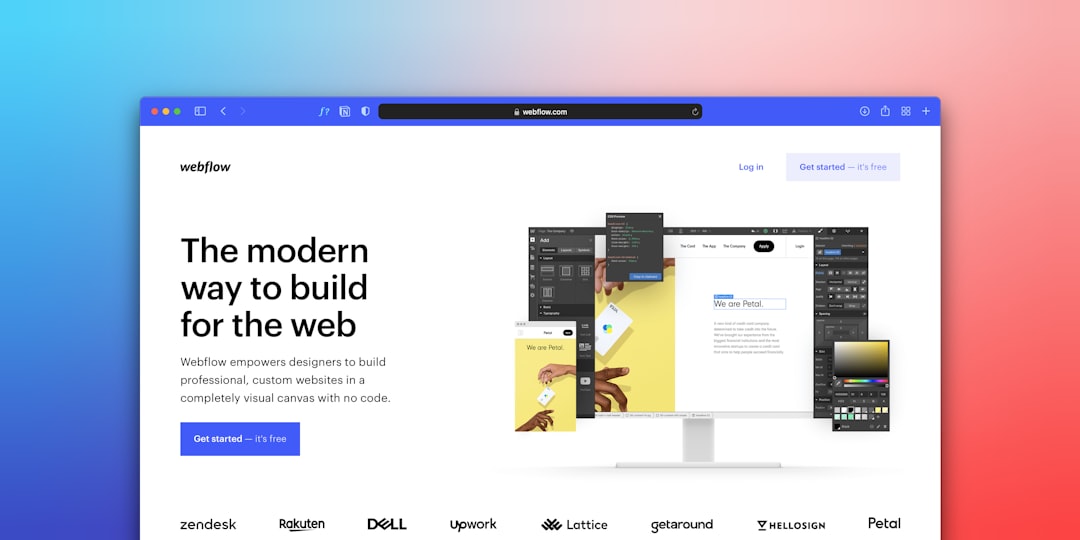
Canvas Template vs Webflow side by side across the dimensions that actually matter for your buying decision, code ownership, pricing structure, customisation depth, performance, and long-term exit cost, so you can choose with full information rather than marketing copy.
Key Takeaways
- Webflow exports HTML/CSS but locks CMS content, hosting logic, and interactions behind its platform, true code ownership is limited.
- Canvas Template delivers a one-time-purchase Bootstrap 5 codebase you host anywhere, with no recurring platform fee.
- Webflow’s no-code editor has a real learning curve; it is not genuinely beginner-friendly for complex layouts.
- Canvas suits developers and agencies who need full control over markup, deployment, and integrations; Webflow suits non-technical founders who want a visual CMS without a developer on retainer.
- At scale, Webflow’s per-site hosting fees outpace the one-time cost of Canvas within months for multi-project agencies.
What Each Tool Actually Is
Canvas HTML Template is a premium Bootstrap 5 template available on ThemeForest. It ships as a static HTML/CSS/JS package with 50+ live demos, a drag-and-drop Canvas Builder for rapid layout composition, and a plugin stack bundled in plugins.min.js and functions.bundle.js. You purchase it once, download the files, and deploy wherever you want, shared hosting, a CDN, Netlify, Vercel, or a traditional server. The CSS custom property --cnvs-themecolor and a full SCSS architecture let you retheme globally in minutes.
Webflow is a SaaS visual design tool that renders your design decisions into hosted websites. It has three distinct layers: a Designer (visual canvas), a CMS (structured content), and Hosting (proprietary CDN). You can export the static HTML and CSS from simple sites, but CMS-driven pages, Webflow Interactions (GSAP-like animations), and any logic tied to the Webflow Editor are not exportable in a usable form. The distinction matters enormously at contract renewal time.
Code Ownership: The Real Question
The phrase “no-code” implies freedom, but in Webflow’s case it also implies dependency. When you build a CMS-driven Webflow site, your content schema, collection pages, and animation bindings live inside Webflow’s infrastructure. If the company changes pricing, discontinues a tier, or is acquired, your options are a full rebuild elsewhere or continued payment at whatever rate they set.
Canvas gives you complete code ownership from day one. The downloaded package is yours. You can modify every HTML file, override any SCSS variable, add your own JavaScript, or strip out sections you do not need. There is no licence key that phones home, no API that stops working if you cancel a subscription. If you are migrating away from a locked CMS, a decision many teams are making right now, the post on migrating from WordPress to a static Bootstrap 5 site outlines a practical workflow that applies equally well when leaving any hosted platform.
Webflow does allow HTML/CSS export for non-CMS sites. If your project is a purely static marketing page with no Webflow CMS collections, the export is reasonably clean. The moment you add CMS, membership, or e-commerce features, the export becomes a static shell with none of the dynamic behaviour intact.
Pricing Structure: One-Time vs Recurring
Canvas Template is a one-time purchase on ThemeForest. For a single licence you get the full template, future updates, and six months of support from the author (extendable). There is no monthly hosting fee tied to the template itself, you pay only your own hosting costs.
Webflow charges at two levels: an account-level plan for the Designer workspace, and per-site hosting plans for each published site. In 2024 to 2025, a CMS site plan starts at $23/month (billed annually). An agency running ten client sites pays that per site. A freelancer delivering five projects a year is effectively paying a platform tax on every project they ever ship. The compounding cost is not hypothetical, it is the most common reason developers search for a Webflow alternative after their first year.
For agencies building landing pages, product sites, or niche verticals, Canvas’s demo library removes the blank-page problem without any of that recurring cost. Vertical-specific demos like the Canvas Restaurant demo or the App Landing demo give you a production-ready starting point that you own outright.
Customisation Depth and Developer Experience
Webflow’s visual canvas is genuinely impressive for designers who think in layout terms rather than code. Flexbox and Grid controls are exposed visually, and the interaction panel lets you create scroll-triggered animations without writing JavaScript. For non-technical users, this is a real capability, not a gimmick.
The ceiling, however, is real. When a client asks for a custom multi-step form with conditional logic, or a pricing table that pulls live data from an third-party API, Webflow’s visual tools run out quickly. You end up embedding custom code blocks, at which point you are writing code anyway, but inside a constrained interface rather than a proper editor.
Canvas has no such ceiling. Bootstrap 5’s utility-first grid, combined with Canvas’s own utility layer, gives developers fine-grained control. The --cnvs-themecolor CSS variable propagates through every component, so a single token change rebrands the entire site. Need a complex interaction? You write it in JavaScript and include it alongside the existing bundle. The post on SCSS vs CSS variables for theming Bootstrap 5 covers exactly how far you can push this system without touching a single component file. For complex UI patterns like multi-step forms, you retain full control, see the guide on building a multi-step form in Bootstrap 5 for a practical example.
Performance and Hosting Flexibility
Webflow’s hosting is a managed CDN, which means performance is generally good out of the box. The trade-off is that you have zero control over server configuration, caching headers, or build pipelines. You cannot run a custom serverless function at the edge, deploy to a specific geographic region for compliance reasons, or integrate a CI/CD pipeline that your team already uses.
Canvas, being a static HTML package, deploys to any infrastructure. You can host it on Netlify’s free tier for personal projects, push it through a GitHub Actions pipeline into an S3 bucket with CloudFront, or drop it onto a shared host for a small-business client who insists on cPanel. The markup Canvas Builder exports is clean and semantic, as detailed in the post on how Canvas Builder exports clean Bootstrap 5 markup, which means Lighthouse scores and Core Web Vitals start from a strong baseline without needing a performance consultant.
When Webflow Actually Wins
Genuine balance requires acknowledging where Webflow is the better tool. If your client is a non-technical founder who needs to update page content, swap images, and publish blog posts without ever opening a code editor, Webflow’s CMS Editor is a better handoff experience than a static HTML file. The visual interface for content entry is polished and requires no training for basic tasks.
Webflow also wins for designers who want pixel-precise control over animations and transitions without writing a line of JavaScript. Its Interactions panel can produce sophisticated scroll-driven effects that would take a developer several hours to replicate in vanilla JS or a library.
The honest summary: choose Webflow when your priority is an empowered non-technical client and you accept the recurring cost and platform dependency as part of the service model. Choose Canvas when code ownership, hosting flexibility, developer ergonomics, and total cost of ownership are the priorities.
Making the Decision for Your Next Project
Run through this checklist before committing:
- Who maintains the site long-term? If a developer is always available, Canvas is cheaper and more powerful. If the client is solo, Webflow’s CMS editor reduces support tickets.
- How many sites will you build this year? One Canvas licence covers unlimited personal projects; Webflow charges per published site.
- Do you need custom server-side logic or API integrations? Canvas imposes no restrictions. Webflow requires workarounds.
- What is your exit plan? A Canvas site can be moved to any host in minutes. A Webflow CMS site requires a rebuild if you leave the platform.
- Does the project need a specific vertical layout immediately? Canvas’s 50+ demos cover restaurants, finance, SaaS, conferences, e-commerce, and more, reducing initial build time significantly.
For most developers and agencies reading this post, the combination of one-time cost, Bootstrap 5’s well-documented component system, and genuine code ownership tips the decision firmly toward Canvas for client work. Webflow occupies a legitimate niche, but it is a narrower one than its marketing suggests.
Frequently Asked Questions
Can you export a Webflow site and host it yourself?
Yes, for static sites without Webflow CMS, you can export HTML and CSS and host the files on any server. However, CMS collection pages, Webflow Interactions tied to the CMS, membership features, and e-commerce functionality do not export in a functional state. The export is a static snapshot, not a portable application.
Is Canvas Template suitable for clients who want to edit content themselves?
Canvas ships as static HTML, so it does not include a built-in CMS editor. Clients who need to self-manage content will require either a headless CMS integrated via API, a WordPress backend connected through the REST API, or a simple Netlify CMS setup. This adds integration work that Webflow’s built-in editor avoids.
How does Canvas Template’s one-time pricing compare to Webflow over two years?
Canvas Template is purchased once on ThemeForest. Webflow’s CMS hosting plan is priced from $23/month per site (2025 rates). For a single site over 24 months, Webflow hosting alone costs $552, before any workspace plan fees. For agencies managing multiple client sites, the annual platform cost compounds rapidly and can reach several thousand dollars per year.
Does Canvas Template require Bootstrap 5 knowledge to use?
Basic Bootstrap 5 familiarity, understanding the grid, utility classes, and component structure, makes working with Canvas significantly faster. The Canvas Builder handles layout composition visually, so non-coders can assemble pages. However, meaningful customisation beyond colour and font changes will require comfort with HTML, CSS custom properties, and some SCSS if you want to extend the design system.
What is the best Webflow alternative for agencies building multiple client sites?
For agencies prioritising code ownership and eliminating per-site platform fees, a premium Bootstrap 5 template like Canvas is the most practical alternative. It provides a large demo library to speed up initial builds, a documented component system for consistency across projects, and zero recurring licence costs. Agencies that need a visual editor for client handoffs can pair Canvas with a headless CMS or a lightweight page builder on top of the exported markup.
Looking for a production-ready Bootstrap 5 HTML template? Browse Canvas Template demos and find the perfect starting point for your next project.
If you’re building with the Canvas HTML Template and want to ship production-ready Bootstrap 5 layouts faster, try Canvas Builder free, the visual builder that exports clean Canvas-ready markup in minutes.
Skip the setup and build it free
Spin up a complete Bootstrap 5 site, blog included, with Canvas Builder. No coding, no cost.

Rohit S
Rohit S builds Canvas at SemiColonWeb, the team behind the Canvas HTML Template, CanvasWP and CanvasBuilder AI.
More from the Canvas Blog