


Key Takeaways
- Static HTML sites have zero server-side attack surface and require no database, eliminating WordPress’s most common security vulnerabilities.
- A well-built static site scores higher on Core Web Vitals than an equivalent WordPress site by default, without performance plugins.
- WordPress earns its complexity only when non-technical editors must publish content daily or when you need WooCommerce-class e-commerce at scale.
- In 2026, edge hosting (Netlify, Cloudflare Pages, Vercel) makes deploying static HTML globally as easy as a git push, the “static sites are hard to update” objection is largely obsolete.
- A premium Bootstrap 5 HTML template can put a static site into production faster than configuring a WordPress theme with equivalent design quality.
What Static HTML Actually Means in 2026
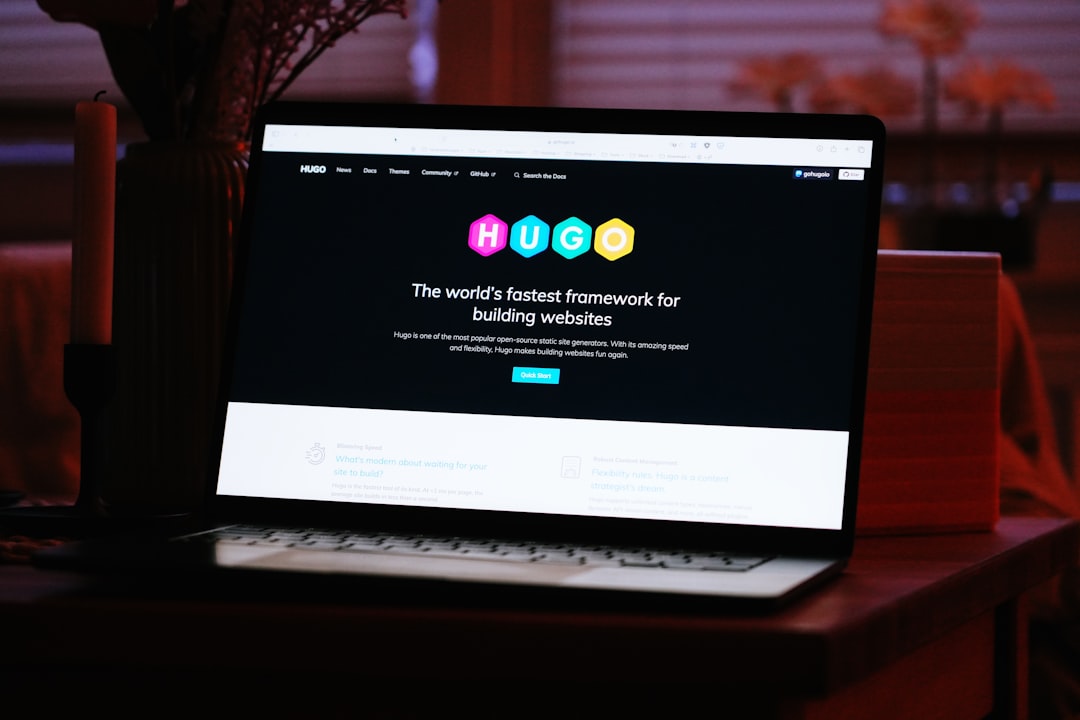
The term “static” no longer means a hand-coded 1999 brochure site. In 2026, a static HTML site is any site where pre-built .html files are served directly to the browser, no PHP execution, no MySQL query, no WordPress core bootstrapping on every request. The files can be authored by hand, compiled from a static site generator (Eleventy, Hugo, Astro), or built from a premium HTML template like the Canvas HTML Template.
The key architectural difference is that all rendering happens before the request, not during it. WordPress renders pages at request time by default (even with caching plugins, you are working around the architecture, not with it). Static HTML serves a file that already exists on disk or at the CDN edge, response times under 50ms are routine, not exceptional.

Where Static HTML Wins Clearly
There are project categories where the argument for static HTML is essentially closed:
- Marketing and landing pages. A SaaS landing page, a product launch page, or a campaign microsite has fixed content that changes infrequently. Every millisecond of load time affects conversion rate. Static HTML with a CDN delivers the best possible Time to First Byte (TTFB), which feeds directly into Largest Contentful Paint (LCP), the Core Web Vital that Google weights most heavily for ranking. If you are building pages like this, the image optimisation practices for Bootstrap 5 and Core Web Vitals apply directly and without the overhead of WordPress image plugins.
- Portfolio and agency sites. Designers and agencies update their work a few times per year. A WordPress installation that requires monthly plugin updates, database backups, and PHP version management is maintenance overhead with no commensurate benefit. A static site on Netlify requires essentially zero maintenance between content updates.
- Documentation and technical sites. If content is authored in Markdown or managed by developers already using Git, a static site generator is the natural fit. There is no reason to introduce a CMS.
- Event and conference sites. Fixed schedule, fixed speakers, fixed location, static all the way. The content freezes on event day.
- Small business brochure sites. Five to fifteen pages of service descriptions, contact details, and a photo gallery. WordPress adds a database, PHP, 20+ core files, and an admin panel to something that does not need any of them.
Where WordPress Wins (or at Least Competes)
Being honest about this matters. WordPress is the correct choice in specific, definable scenarios:
- High-frequency content publishing by non-technical editors. If a marketing team publishes three blog posts per week, manages author profiles, and schedules content, the WordPress editor (Gutenberg or Classic) is a genuinely good tool for that workflow. A static site requires a deploy pipeline every time content changes, which is a meaningful friction point for non-developers.
- Complex e-commerce with large catalogues. WooCommerce handles variable products, inventory management, tax rules, and shipping integrations at a depth that static solutions struggle to match out of the box. Shopify is a stronger static-adjacent competitor here, but for self-hosted e-commerce, WooCommerce remains dominant.
- Membership and gated content. User authentication, subscription tiers, and personalised content are use cases where WordPress plugins (MemberPress, Restrict Content Pro) have years of maturity. Building these features on a static HTML foundation requires third-party services for each concern.
- Clients who insist on WordPress. This is a legitimate business reason. If your client’s team already knows WordPress, training them on a new workflow has a real cost.
The Security and Maintenance Cost Comparison
WordPress’s security record is not a myth. According to Sucuri’s 2023 Website Threat Research Report (the most recent full-year data available), WordPress accounted for 96.2% of all infected CMS websites they remediated. The attack vectors are well-understood: outdated plugins, vulnerable themes, brute-forced admin credentials, and XML-RPC exploitation.
A static HTML site has no database to inject into, no admin panel to brute-force, no PHP to exploit. The attack surface is limited to the hosting infrastructure itself, which on Netlify, Cloudflare Pages, or Vercel is managed by teams with enterprise-grade security operations. For many clients, this alone justifies the switch.
Maintenance cost is equally concrete. A typical WordPress site requires: monthly core updates, plugin audits (average WordPress site has 20+ plugins), PHP version upgrades, database optimisation, and backup verification. None of these tasks apply to a static HTML site hosted on a CDN.
Deployment in 2026: The Git-Push Workflow
The historical objection to static sites, “how does a non-developer update the content?”, has been substantially answered. In 2026, a practical static site content workflow looks like this:
- Developers build the site on a Bootstrap 5 HTML template.
- The repository connects to Netlify or Cloudflare Pages via a Git integration.
- For client content updates, a headless CMS (Netlify CMS, Decap CMS, Sanity, or Contentful) provides a visual editor that commits changes to Git and triggers an automatic rebuild and deploy.
- The live site updates globally within 60 to 90 seconds of the editor clicking “publish.”
If you have not deployed a static site this way, the process is remarkably straightforward. Our guide on deploying a Bootstrap 5 HTML template to Netlify in five minutes walks through the exact steps. For developers evaluating the broader tradeoffs of template-based development, the HTML template vs WordPress theme comparison covers the decision in additional depth.
Performance: The Numbers That Matter for SEO
Google’s Core Web Vitals are a direct ranking signal in 2026. The three primary metrics, LCP, INP (Interaction to Next Paint, which replaced FID in March 2024), and CLS, are measurably easier to pass on a static site than on WordPress.
A WordPress site with no performance optimisation typically scores in the 40 to 60 range on PageSpeed Insights mobile. Reaching a score above 90 on WordPress requires: a caching plugin (WP Rocket, W3 Total Cache), an image optimisation plugin (Imagify, ShortPixel), a CDN configuration, critical CSS extraction, and JavaScript deferral rules. Each plugin adds its own maintenance burden and potential conflict surface.
A Bootstrap 5 HTML template deployed to Netlify, with properly sized images and deferred non-critical scripts, routinely achieves 90 to 100 on mobile without any additional tooling. The architectural advantage is structural, not a matter of configuration skill.
For teams already building on Bootstrap 5, the patterns for achieving strong Core Web Vitals scores, responsive images with srcset, lazy loading, font subsetting, are directly applicable and well-documented without any CMS abstraction layer in the way.
Making the Decision: A Practical Checklist
Use this checklist before committing to either approach:
Choose static HTML if:
- Content changes fewer than once per week, or changes are handled by a developer.
- Security and uptime are primary concerns (financial services, legal, healthcare adjacent).
- The project is a landing page, portfolio, event site, or brochure site.
- You need the best achievable Core Web Vitals scores with the least ongoing effort.
- The client does not have existing WordPress expertise.
- Budget for ongoing maintenance is limited or zero.
Choose WordPress if:
- Non-technical editors will publish content multiple times per week.
- You need WooCommerce-level e-commerce without custom development.
- The project requires membership, gating, or per-user personalisation.
- The client team is already invested in the WordPress ecosystem.
Frequently Asked Questions
For technical SEO factors, page speed, Core Web Vitals, TTFB, static HTML has a structural advantage because there is no server-side rendering latency and files are served from CDN edges close to the user. WordPress can reach competitive scores with optimisation plugins, but static HTML achieves them more easily and with less maintenance. For content SEO (keyword targeting, meta tags, structured data), both approaches are equally capable; the difference is in tooling, not fundamental capability.
Yes, when paired with a headless CMS. Tools like Decap CMS (formerly Netlify CMS), Sanity, or Contentful provide a visual content editor that commits changes to a Git repository and triggers an automatic site rebuild and deploy. The editor never touches code. The initial setup requires developer time, but the ongoing content workflow is accessible to non-technical users.
Static HTML hosting on Netlify, Cloudflare Pages, or Vercel is free for most small-to-medium sites (bandwidth and build minute limits apply). WordPress requires a PHP and MySQL hosting environment, shared hosting starts around $5 to 15/month, but a properly configured managed WordPress host (WP Engine, Kinsta, Flywheel) costs $30,$100/month and up. For performance-critical or high-traffic sites, the cost gap widens further in static HTML’s favour.
WordPress has a marginal native advantage through plugins like WPForms or Gravity Forms, which provide drag-and-drop form builders, conditional logic, and CRM integrations. On a static HTML site, forms require a third-party service (Netlify Forms, Formspree, Basin) or a custom backend endpoint. For simple contact forms, the static approach is straightforward. For complex multi-step forms with conditional logic, WordPress plugins reduce development time, though solutions exist for both stacks.
For agency sites, portfolios, case studies, service pages, a contact form, a Bootstrap 5 HTML template is a strong WordPress alternative. It ships faster (no theme configuration, no plugin stack), performs better by default, and costs less to maintain. Agencies that need to hand off a site to a client who will edit content frequently should evaluate whether a headless CMS integration covers the client’s needs before defaulting to WordPress.
Looking for a production-ready Bootstrap 5 HTML template? Browse Canvas Template demos and find the perfect starting point for your next project.
If you’re building with the Canvas HTML Template and want to ship production-ready Bootstrap 5 layouts faster, try Canvas Builder free, the visual builder that exports clean Canvas-ready markup in minutes.
Skip the setup and build it free
Spin up a complete Bootstrap 5 site, blog included, with Canvas Builder. No coding, no cost.

Canvas Team
Tutorials and tips for building beautiful Bootstrap 5 websites with the Canvas HTML Template and Canvas Builder.
More from the Canvas Blog