


New Meet the Canvas WordPress Theme and Website Builder Explore CanvasWP
All one page website templates
Open any template to see the live preview. Every layout shown is included in the download.


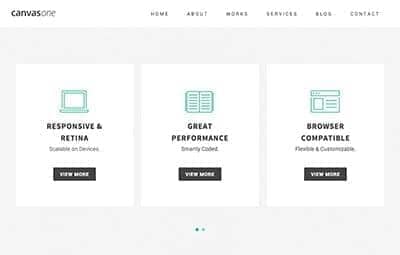


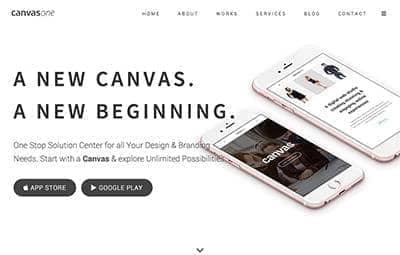
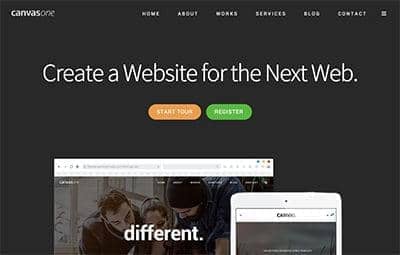


About these one-page templates
A one-page layout suits a site with one clear goal: a studio or agency introduction, a personal portfolio, an app or product launch, an event, or a sign-up and subscription page. The hero is what changes most between these layouts: background video, parallax images, text rotators, sliders, counters, registration forms and side or dots navigation.
The layouts share one stylesheet, one-page/onepage.css, loaded on top of the core Canvas styles. Menu links point at section ids, so adding a section means giving it an id and adding one menu link, and you can copy sections in from any other Canvas page because they share the same components.
What you get across these templates
- One-page menu that scrolls to each section: 58 of 60 layouts
- Contact or sign-up form wired to the included PHP mailer: 58 of 60 layouts
- Animated text rotator: 14 of 60 layouts
- Background video: 12 of 60 layouts
- Revolution or Swiper slider: 8 of 60 layouts
- Video lightbox: 6 of 60 layouts
- Bootstrap 6 markup with full SCSS source
How to use a Canvas template
Pick a template
Open the live previews above and choose the layout that fits your business or your client.
Download Canvas
One license includes every template here plus every niche demo and layout in Canvas. Download the full package or only the pages you need.
Make it yours
Edit the HTML and SCSS directly, or let CanvasBuilder AI or your coding agent customise it for you.
Get all one page website templates
One license includes every template on this page.
Single Site
$12.49 once
- License for 1 site
- 20 CanvasBuilder credits
- Full Canvas package
- New demos every week
- 6 months of support
Best Value
Unlimited Sites
$49/yr
- Unlimited sites
- 100 CanvasBuilder + 25 Service credits / year
- Team accounts for 10 members
- 1 year of support & updates, renewed yearly
- New demos every week
Lifetime Unlimited
$149 once
- Unlimited sites
- Lifetime free updates
- 1 year of support
- 200 CanvasBuilder + 50 Service credits
- Team accounts for 10 members
Need OEM or SaaS rights? Enterprise is $399/yr → · Prefer ThemeForest? Buy Canvas on ThemeForest for $16 →
One Page Website Templates FAQ
What is a one page website template?
It is a complete website on a single HTML page. The sections (about, services, portfolio, team, pricing, contact) sit one after another, and the menu scrolls smoothly to each one instead of loading a new page.
How many one page templates are included in Canvas?
Canvas includes 60 one-page layouts, the op-*.html files. Every layout on this page has a live preview and is included in the download.
When should I choose a one-page layout instead of a multi-page site?
Choose one page when the site has a single goal, such as a launch, an event, a portfolio or a sign-up, and the content fits in a few sections. If you need a blog, a shop or many service pages, start from a Canvas homepage template or a niche demo with inner pages instead.
Do the contact forms work?
Yes. 58 of the 60 layouts include a contact or sign-up form that posts to include/form.php, the PHP mailer that ships with Canvas. Add your email and SMTP details and the form sends messages, with optional reCAPTCHA or hCaptcha.
Can I use these templates for client websites?
Yes. A Single Site license covers one website. The Unlimited Sites license ($49 a year) and the Lifetime Unlimited license ($149 once) cover unlimited client and personal sites.
How much do these templates cost?
All 60 one page website templates come with Canvas, together with every niche demo and homepage template. Canvas costs $12.49 once for one site, $49 a year for unlimited sites, or $16 on ThemeForest.